AirMembers
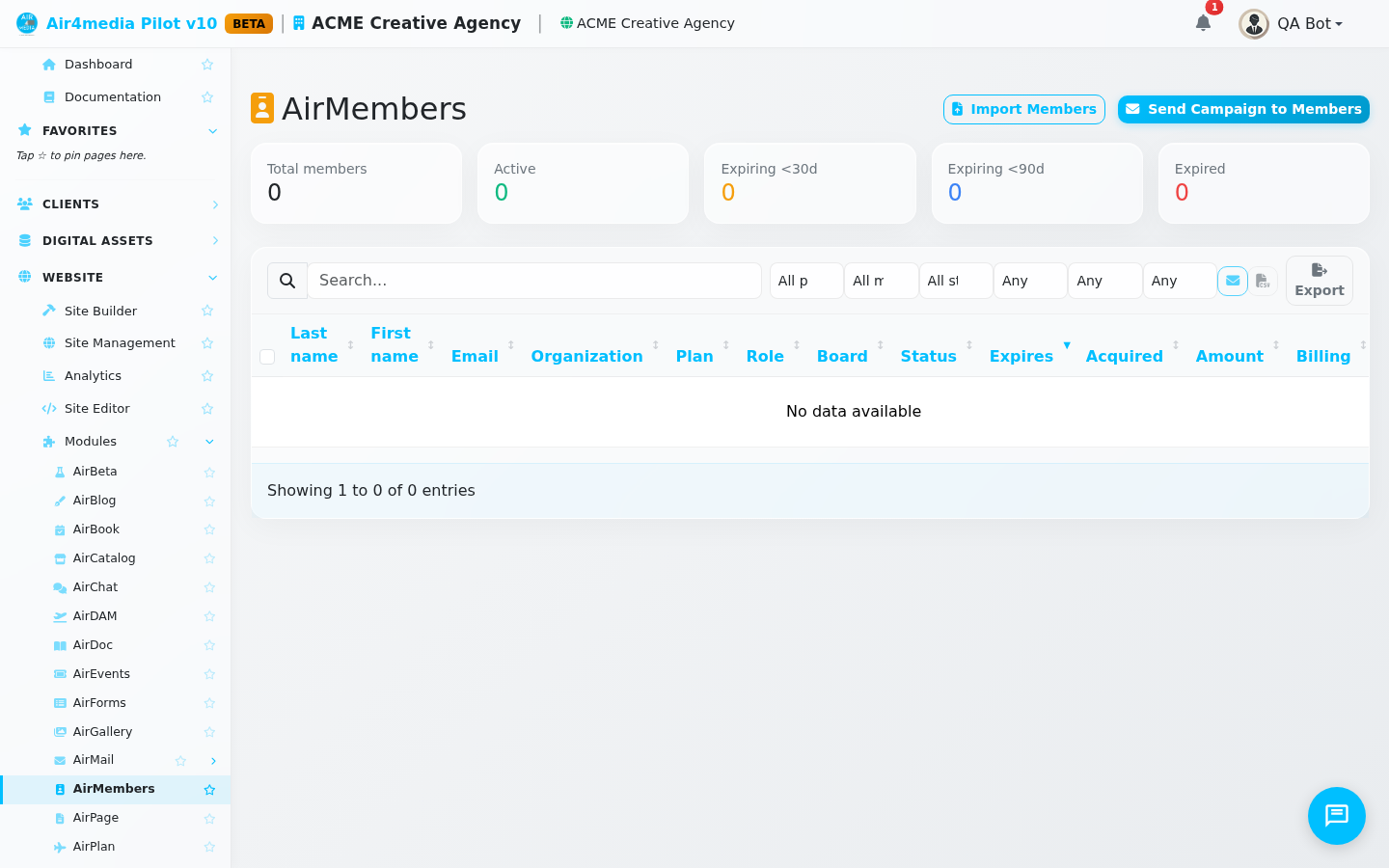
AirMembers is your live membership roster — a filterable view of every member across all your plans. Monitor renewals, reach lapsing members, send campaigns, and import a historical list from a spreadsheet.
Key Features
- Renewal stats: Five cards show Total, Active, expiring within 30 days, expiring within 90 days, and already Expired — your renewal snapshot the moment you open the page.
- Sortable roster: Each row shows name, email, organization, plan, role, board position, status, expiry date, how they joined, dues amount, and billing cadence. Click any column to re-sort.
- Smart filters: Narrow by plan, board vs. non-board, status (Active, Past due, Cancelled, Paused, etc.), billing period, acquisition source, or expiry window — next 30, 60, or 90 days, or already expired.
- Per-row actions: Edit person opens the contact record; Edit membership adjusts their plan, status, or renewal date.
- Batch actions: Select multiple members, then Send message to reach the group or Export CSV to download the filtered set.
- Send Campaign to Members: Creates a pre-addressed Airmail draft for all members — finish composing and schedule it from Airmail Campaigns.
- CSV import: Upload a legacy member spreadsheet, map columns, set defaults, and import. Duplicates are always skipped.
How to Use
- Open AirMembers from the sidebar. The stat cards load your renewal snapshot immediately.
- Use the filter dropdowns — Plan, Board, Status, Billing, Source, and Expiry — to focus on a segment. For example, choose "Expiring next 30 days" to see everyone due for renewal soon.
- Type a name, email, or organization in the search box to find a specific member.
- Click Edit membership to adjust a subscription; click Edit person to update contact details.
- Check boxes next to multiple members, then choose Send message or Export CSV from the batch bar.
- Click Send Campaign to Members to create a draft Airmail campaign for your full membership.
Importing Members
- Click Import Members (top right) and select your CSV file — first row must be column headers.
- Click Upload and Preview. The importer auto-maps recognized column names like "email," "expires," and "membership type."
- Adjust any mappings, pick a default plan for rows without one, set the default status, and choose whether imported members get portal access.
- Click Run Import. A summary shows records added, duplicates skipped, and any rows that failed.
- Click Done, Refresh List to see your updated roster.
Tips
- Running the same CSV twice is safe — existing members are detected and skipped automatically.
- Filter to "Expiring next 30 days," select all, and hit Send message for a fast renewal nudge.
- The Board filter lets you reach governance members separately from your general membership.