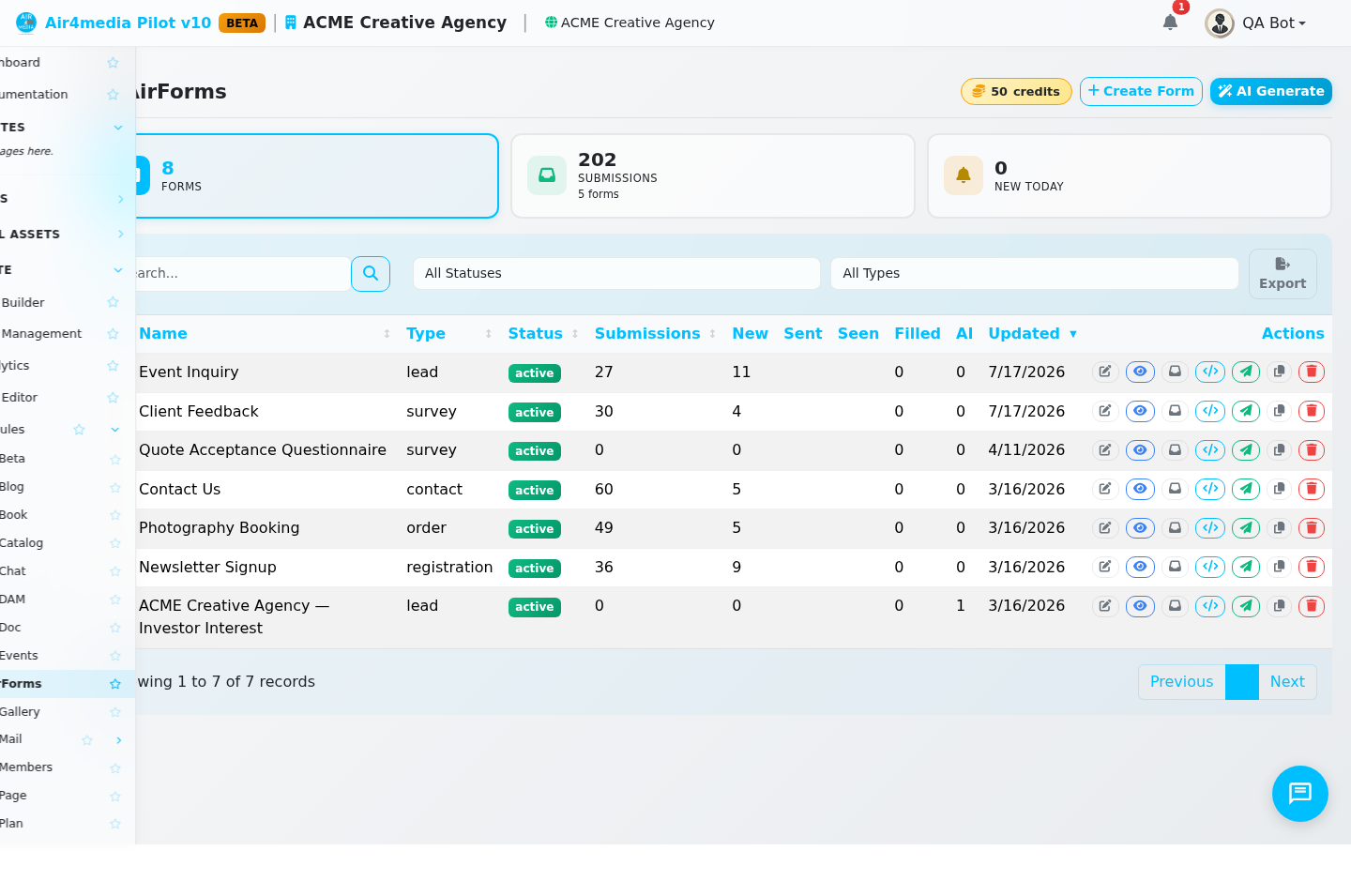
AirForms is a form builder and lead management tool. Build custom forms for your website, capture leads directly into your CRM, and track every submission — all from one place.
Key Features
- Visual Form Builder: Drag-and-drop builder with 21 field types — text, email, phone, number, URL, textarea, dropdown, radio buttons, checkboxes, multi-checkbox, hidden fields, file upload, image upload, date, time, rating, range slider, and layout elements like headings, paragraphs, and dividers
- AI Form Generation: Describe your business and goal and AI builds a complete form for you, including suggested fields and the reasoning behind each one (uses AI credits)
- AI Submission Analysis: Automatically score and analyze incoming leads, generate a personalized reply draft, and send it immediately or hold for your review
- Approval Workflow: Gate submissions before contacts are created or AI responses sent — review each one, add notes, then approve or reject
- CRM Integration: Auto-create contacts from submissions with field mapping. When someone fills out ACME Creative Agency's "New Client Inquiry" form, they appear in your contacts instantly
- Contract Integration: Attach a contract template so a signed document is generated automatically on submission
- Subscription Integration: Connect a form to an AirPlan so signups trigger a subscription — including Stripe Checkout for paid plans
- Submission Inbox: Browse all responses with status labels — New, Read, Replied, Archived, Spam — plus search, date filters, and CSV export
- Email Notifications: Get alerted when someone submits, and send automatic reply emails to submitters
- Embed Anywhere: Place forms on any website with a JavaScript snippet, or share a direct link
- Spam Protection: Built-in honeypot and submission limits block bots automatically
- Conditional Logic: Show or hide fields based on answers to other fields
- Custom Styling: Forms inherit your site's colors and fonts automatically, with full CSS overrides available
How to Use
- Go to AirForms in the sidebar
- Click New Form to choose a template (Contact, Lead Capture, Registration, Survey, Order), or click Generate with AI and describe what you need
- In the builder, drag fields from the left panel into your form, or click to add them
- Click any field to edit its label, placeholder, required toggle, width, and CRM field mapping
- Open the Settings tab to configure notifications, auto-reply, CRM integration, contract, subscription plan, and AI analysis
- Open the Design tab to preview how the form looks with your site's branding
- Click Save, then click Embed on the form list to get your website code
- Click Submissions on any form to open the inbox and review responses
Managing Submissions
- Filter by status or date range, and search by content
- Open any submission to see all field values, metadata (IP, browser, referrer), and add internal notes
- Update status as you work through leads: New → Read → Replied → Archived
- Export all submissions to CSV for reporting
- Run AI analysis manually on any submission, or enable auto-analysis on every new one
- Approve or reject pending items before contacts or AI replies are created
Tips
- Use Duplicate to copy a form and test variations without starting over
- Use Copy to Site in batch actions to reuse a form across multiple sites
- Set a Redirect URL to send visitors to a thank-you page after submitting
- Enable Approval Required on AI responses to review the draft before it sends
- After AI generation, check the form summary — it explains the reasoning behind each field choice