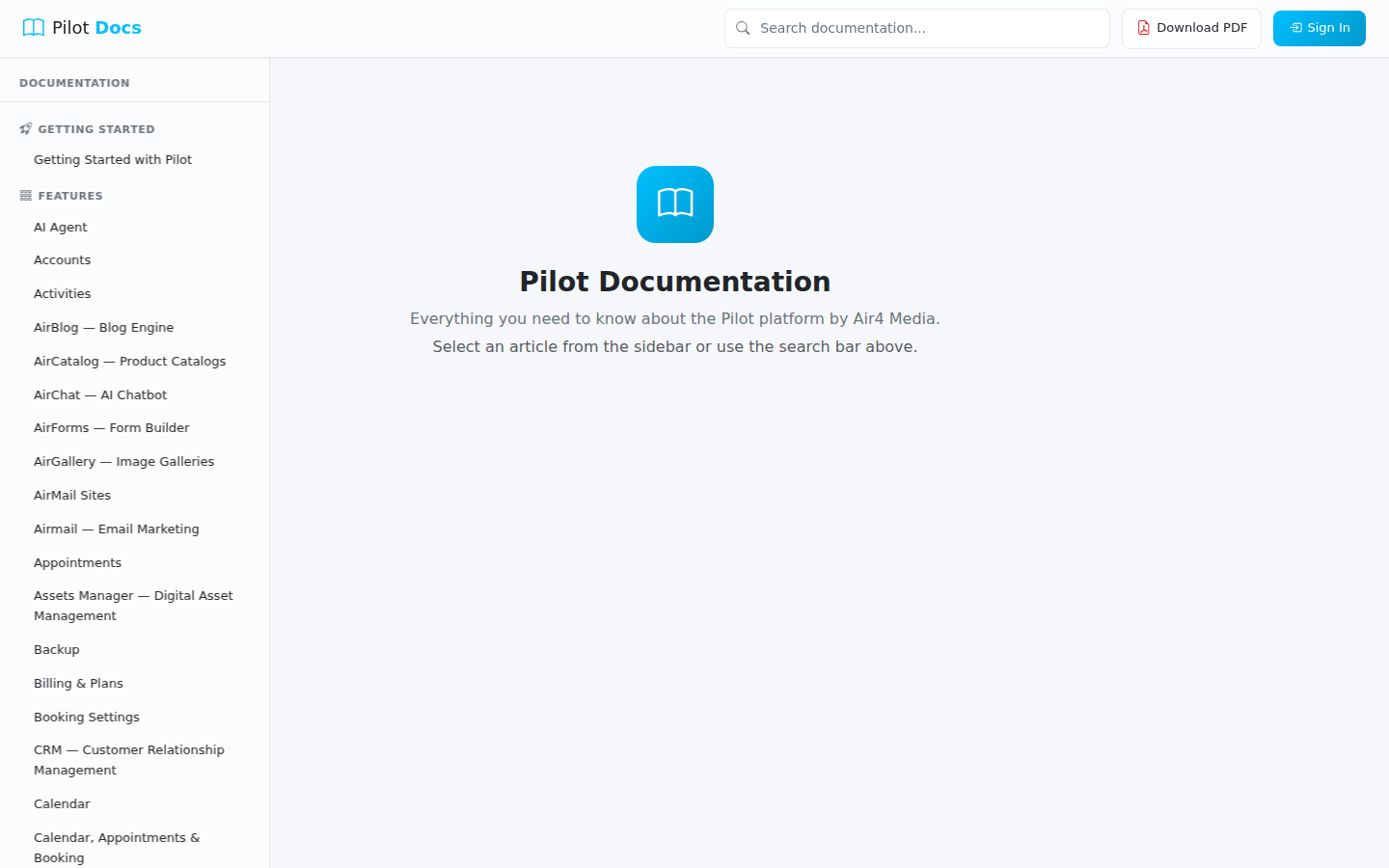
Documentation
The Flight Manual is a public help center where you can browse guides, feature overviews, and how-to articles for the Pilot platform — no login required.
Key Features
- Category Browser: Articles are organized into eight sections — Getting Started, Features & Tools, CRM & Contacts, Marketing, Media & Assets, Billing & Invoicing, AI & Automation, and Website & Design.
- Search: Type any keyword into the search bar to instantly find relevant articles across all categories.
- Table of Contents: When reading an article, a sidebar automatically lists all the sections on that page so you can jump directly to what you need.
- Article Navigation: Previous and Next buttons at the bottom of each article let you step through the documentation in order.
- PDF Downloads: Download any individual article as a PDF, or grab the complete documentation set as a single PDF with a table of contents.
- Direct Links: Every article has a unique URL you can bookmark or share — no login needed.
How to Use
- Open the Documentation page — no sign-in needed.
- Browse articles by category on the main page.
- Click any article title to open it.
- Inside an article, use the On this page sidebar to jump to a specific section.
- To find something specific, type a keyword into the Search documentation bar on the main page.
- To save an article for offline reading, click Download PDF inside the article.
- To download the full documentation library, click Download PDF on the main documentation page.
Tips
- Use the search bar to quickly locate answers without browsing manually.
- The full PDF download includes a table of contents — useful for printing or sharing with your team.
- Share a direct link to any article by copying its URL — recipients don't need an account to read it.
- Use the Previous / Next links at the bottom of articles to read through a category in sequence.